Toggle Side Panel

  • Blogs
  • Consultants
    • Salesforce Product Expertise
      • Top Salesforce ConsultantsTop Salesforce Consultants
      • Marketing Cloud ConsultantsMarketing Cloud Consultants
      • Service Cloud ConsultantsService Cloud Consultants
      • Experience Cloud ConsultantsExperience Cloud Consultants
      • Analytics Cloud ConsultantsAnalytics Cloud Consultants
    • Salesforce Industry Expertise
      • Non-Profit Cloud ConsultantsNon-Profit Cloud Consultants
      • Financial Service Cloud ConsultantsFinancial Service Cloud Consultants
      • Health Cloud ConsultantsHealth Cloud Consultants
      • Commerce Cloud ConsultantsCommerce Cloud Consultants
      • Manufacturing Cloud ConsultantsManufacturing Cloud Consultants
    • Salesforce Experts by Location
      • USATop Salesforce Consultants in USA
      • IndiaTop Salesforce Consultants in India
      • AustraliaTop Salesforce Consultants in Australia
      • United KingdomTop Salesforce Consultants in UK
      • CanadaTop Salesforce Consultants in Canada
  • Webinars
  • Contact Us
  • Discussions
More options
    Sign in Sign up
    • Blogs
    • Consultants
      • Salesforce Product Expertise
        • Top Salesforce ConsultantsTop Salesforce Consultants
        • Marketing Cloud ConsultantsMarketing Cloud Consultants
        • Service Cloud ConsultantsService Cloud Consultants
        • Experience Cloud ConsultantsExperience Cloud Consultants
        • Analytics Cloud ConsultantsAnalytics Cloud Consultants
      • Salesforce Industry Expertise
        • Non-Profit Cloud ConsultantsNon-Profit Cloud Consultants
        • Financial Service Cloud ConsultantsFinancial Service Cloud Consultants
        • Health Cloud ConsultantsHealth Cloud Consultants
        • Commerce Cloud ConsultantsCommerce Cloud Consultants
        • Manufacturing Cloud ConsultantsManufacturing Cloud Consultants
      • Salesforce Experts by Location
        • USATop Salesforce Consultants in USA
        • IndiaTop Salesforce Consultants in India
        • AustraliaTop Salesforce Consultants in Australia
        • United KingdomTop Salesforce Consultants in UK
        • CanadaTop Salesforce Consultants in Canada
    • Webinars
    • Contact Us
    • Discussions
    Close search

    Activity › Forums › Salesforce® Discussions › Replacing Standard Salesforce logo with Custom Logo

    Tagged: Document Library, GIF, JPEG, Salesforce Lightning, Salesforce Logo, Salesforce Setup

    • Salesforce® Discussions

      Replacing Standard Salesforce logo with Custom Logo

      Posted by Shubham on April 26, 2016 at 7:49 AM

      Is it possible to replace the standard salesforce logo with custom company logo in standard apps ?  if yes how can i achieve that ?

      sakshi kherodia replied 3 years, 12 months ago 4 Members · 3 Replies
      • Document Library
      • GIF
      • JPEG
      • Salesforce Lightning
      • Salesforce Logo
      • Salesforce Setup
    • 3 Replies
    • Gourav

      Member
      April 26, 2016 at 8:00 AM

      No, Salesforce doesn't allow you to change the Standard app logo. You have to create your own app and then you can use your own logo for that.

    • [adinserter block='9']
    • Prafull

      Member
      April 26, 2016 at 8:07 AM

      We cannot replace salesforce standard logo with custom company logo. But this is possible by creating custom app. First you have to upload your logo to SF. You have to choose a custom app logo from the document library :-
      * If image size exceeds 300 pixels wide by 55 pixels high, then it will be scaled to fit.
      * You can choose GIF or JPEG format image and less than 20 KB in size.
      * Image should be transparent background image.
      * The Externally checkbox must be selected on the document's properties so that users can view the image.

      Now you have to go to Setup -> Create -> Apps -> click on the app name -> click Edit -> Choose the Image Source for the Custom App Logo

    • sakshi kherodia

      Member
      September 30, 2022 at 4:36 AM

      Though it is not possible, however, we can do this by replacing Salesforce's standard logo with a custom company logo by creating a custom app. First, you have to upload your logo to SF. You can choose a custom app logo from the document library. For more information check this tutorial. Also if you want to check the apps and tabs in Salesforce, read this detailed blog

    Log In to reply.

    • Public
    • All Members
    • My Connections
    • Only Me
    • Public
    • All Members
    • My Connections
    • Only Me
    • Public
    • All Members
    • My Connections
    • Only Me

    Popular Salesforce Blogs

    Salesforce Training And Certifications

    How Salesforce Training And Certifications Help with Better Career Opportunities for IT Professionals

    Blog in Salesforce Training

    About: If you're looking for it, then BismilSoft gives you the fine Salesforce education direction in Noida with stay task and certification. The Salesforce education…

    Best Practices, Builds Custom Packages, Businesses, Career Opportunities, certification
    shanu Sep 3, 2021
    3,078  Views
    Salesforce Flow: A Guide to Automating Business Processes

    Salesforce Flow: A Guide to Automating Business Processes

    Blog in Salesforce Implementation

    Table of Contents Introduction Identify the Processes for Automation Map Out the Process Create Your Flow with Salesforce Define Elements and Logic Test Your Salesforce…

    Autolaunched Flows, Automated Workflows, Automation Benefits, Automation Guide, Automation Techniques
    Kizzy Consulting Jun 11, 2024
    787  Views

    The Ultimate Guide to Salesforce Community Licenses

    Blog in Salesforce

    Imagine that you are a business owner and you're constantly seeking cutting-edge products that can improve the way you interact with your customers. That’s where…

    Benefits, Business Efficiency, Business Partners, Business Requirements, Clients
    Melonleaf May 29, 2023
    2,869  Views

    Popular Salesforce Videos

    70 Salesforce Interview Questions for the Beginners

    70 Salesforce Interview Questions for the Beginners

    Video in Salesforce Training

    First of all, How it is different from the other Salesforce Interview questions videos? Well, We have divided the questions into categories so that you…

    Salesforce Training, Salesforce Tutorial, Process Automation, salesforce, User Setup
    Jogender Dec 9, 2021
    2,362  Views
    How to Create a Connected App in Salesforce? | What is a Connected App?

    How to Create a Connected App in Salesforce? | What is a Connected App?

    Video in Salesforce Apps

    Watch this video to learn how to create a Salesforce connected app to enables an external application to integrate with Salesforce using APIs. If you…

    Salesforce Training, Salesforce Integration, salesforce, Salesforce Video, Salesforce Learning
    Pooja Jul 27, 2021
    2,336  Views
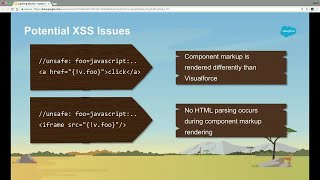
    Security Best Practices for Building Lightning Components

    Security Best Practices for Building Lightning Components

    Video in Salesforce Security, Lightning

    Lightning Component is a framework to build Salesforce applications faster. If you are using Salesforce1, you already experiencing the Lightning. It is based on an…

    Salesforce Visualforce, Salesforce Security, Salesforce Lightning, Salesforce Trailhead, Security And Access
    Abhay May 5, 2018
    2,253  Views
    Footer Forcetalks logo

    support@forcetalks.com

    • twitterx

    Quick Links

    Advertise with Us

    Salesforce® Articles

    Dreamforce 2023

    Top Salesforce® Bloggers 2023

    Top Salesforce Consultants

    Get Listed

    Company

    Contact Us

    About Us

    Privacy Policy

    Terms & Conditions

    InsightHub

    Salesforce Blogs

    Salesforce Videos

    Salesforce Groups

    Salesforce Jobs

    © 2026 - Forcetalks ● All Rights Reserved

    Salesforce® is a trademark of Salesforce® Inc. No claim is made to the exclusive right to use “Salesforce”. Any services offered within the Forcetalks website/app are not sponsored or endorsed by Salesforce®.

    We use cookies to enhance your browsing experience. Please see our privacy policy if you'd like more information on our use of cookies.