
-
Salesforce Visualforce Page with Account, Contact and Inventory
Hi everyone,
I want to create lead record in that I want to add custom button (take any thing) in this custom redirect to visualforce page, in that page should have 3 sections:
1 account section, it should have few fields 1 account name (company), 2 Address
2 contact section it should have few fields 1 Firstname ,lastname,phone,email
note account and contact record should have editable option inline (1st priority) edit button (2nd priority)
3 Inventory this is custom object this object should have few fields 1 length(mandatory) 2 width 3 (height) and search button also when i click on search button result should be display few columns like check button, inventoryname, lenght, width, height, price, quantity then after I selected few records I click on add to cort button then those records should be added here display new table or pageblock section inventory name quatity and amount amount should product of price and quantity(formula)
there you can put create quote(button).
Log In to reply.

Popular Salesforce Blogs

What are Flows In Salesforce in 2023?
A flow is a Salesforce application that collects data and performs actions in your Salesforce org or an external system. To automate a business process…


8 Salesforce Service Cloud Enhancements to Deliver Exceptional Customer Experience
A customized Salesforce Service Cloud can go a long way in helping you deliver exceptional customer experiences. But what is it is that you can…


Salesforce and ERP Integration - Learn All About It
As technology is advancing in every domain of business, many related problems or issues are rising simultaneously. Every enterprise or organization wants to run its…

Popular Salesforce Videos

The future of Salesforce Lightning (according to Mike Rosenbaum)
We find out from Mike Rosenbaum (@mike945778) who is in charge of Salesforce Sales, Service & Lightning, the future of Salesforce Lightning at the London…

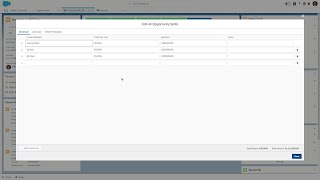
Sales Cloud: Opportunity Splits in Lightning Experience
In today's connected world, technology is rapidly becoming the difference between big quarters and big misses. Companies must empower every sales rep to sell faster,…

Salesforce Winter 18 Release for Busy Admins
Contents: Lightning Report Builder Dashboard Report Filter Lightning Hover Components Conditional Page Components Setup Search in Lightning Lead Conversion Updates User Interface Settings
Popular Salesforce Infographics

Why Salesforce For Your Business?
Why Choose Salesforce? According to Salesforce, companies show the following trends as a result of Salesforce Implementation. 25% Increase in Revenue 35% Increase in Customer…


MVP Magic for Building Success Step by Step
Embark on a strategic journey, defining vision, iterating with user feedback, and scaling, as MVP development unfolds step by step, ensuring enduring product excellence and…


Einstein in Action – Unleash the Power of AI in Salesforce
Drowning in data but thirsty for insights? Salesforce Einstein can be your life raft. This infographic dives into the world of AI for CRM, exploring…
