
-
Salesforce Visualforce Page with Account, Contact and Inventory
Hi everyone,
I want to create lead record in that I want to add custom button (take any thing) in this custom redirect to visualforce page, in that page should have 3 sections:
1 account section, it should have few fields 1 account name (company), 2 Address
2 contact section it should have few fields 1 Firstname ,lastname,phone,email
note account and contact record should have editable option inline (1st priority) edit button (2nd priority)
3 Inventory this is custom object this object should have few fields 1 length(mandatory) 2 width 3 (height) and search button also when i click on search button result should be display few columns like check button, inventoryname, lenght, width, height, price, quantity then after I selected few records I click on add to cort button then those records should be added here display new table or pageblock section inventory name quatity and amount amount should product of price and quantity(formula)
there you can put create quote(button).
Log In to reply.

Popular Salesforce Blogs

Increases in Governor Limits in SFDC Winter 17 Release.
With Winter 17 Release many Governor Limits have Increased.“You didn't see that coming?” 1. Salesforce Daily Org Limits for Sending Emails with the API Have…


25+ Salesforce Integrations Every Business Should Know About in 2026
Modern businesses rely on a growing ecosystem of applications to manage sales, marketing, customer service, finance, eCommerce, and daily operations. While these platforms help teams…


Learn All About the Batch Apex in 2023
The main purpose of using Batch Apex is used to process a large amount of data without exceeding governor limits. It is a type of…

Popular Salesforce Videos

How Do You Select the Right Salesforce Implementation and Transformation Partner?
Looking for Salesforce Certifications while choosing a Salesforce Implementation Partner is no more just enough. In this video Our CEO Jayant Umrani explaining about the…


Salesforce Object Query Language (SOQL) Crash Course | The Complete Hands-on Tutorials
SOQL in Salesforce is used to retrieve data from the Salesforce database for specific information. This video covers everything you need to know as a…

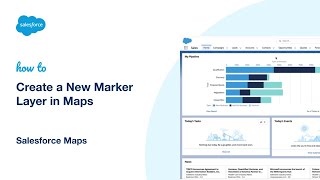
Create a New Marker Layer in Maps | Salesforce Maps
Salesforce Maps is a location intelligence and map visualization tool that integrates with your Salesforce CRM, simplifying territory management. With Salesforce Maps you can create territories…
Popular Salesforce Infographics

Amplify Your Support Operations with Email to Case Advance | Salesforce
Managing cases efficiently in Salesforce is pretty easy. And given the rising expectations of customers, being fast to answer their queries via Salesforce-powered communities is…


How To Amplify Your Business With Salesforce
Business process and technology are an integral part of each other; when they are integrated, they can form a symbiotic relationship with each other. Today…


What is a CRM System?
Customer relationship management (CRM) is a technology for managing all your company's relationships and interactions with customers and potential customers. The goal is simple: Improve…