Toggle Side Panel

  • Blogs
  • Consultants
    • Salesforce Product Expertise
      • Top Salesforce ConsultantsTop Salesforce Consultants
      • Marketing Cloud ConsultantsMarketing Cloud Consultants
      • Service Cloud ConsultantsService Cloud Consultants
      • Experience Cloud ConsultantsExperience Cloud Consultants
      • Analytics Cloud ConsultantsAnalytics Cloud Consultants
    • Salesforce Industry Expertise
      • Non-Profit Cloud ConsultantsNon-Profit Cloud Consultants
      • Financial Service Cloud ConsultantsFinancial Service Cloud Consultants
      • Health Cloud ConsultantsHealth Cloud Consultants
      • Commerce Cloud ConsultantsCommerce Cloud Consultants
      • Manufacturing Cloud ConsultantsManufacturing Cloud Consultants
    • Salesforce Experts by Location
      • USATop Salesforce Consultants in USA
      • IndiaTop Salesforce Consultants in India
      • AustraliaTop Salesforce Consultants in Australia
      • United KingdomTop Salesforce Consultants in UK
      • CanadaTop Salesforce Consultants in Canada
  • Webinars
  • Contact Us
  • Discussions
More options
    Sign in Sign up
    • Blogs
    • Consultants
      • Salesforce Product Expertise
        • Top Salesforce ConsultantsTop Salesforce Consultants
        • Marketing Cloud ConsultantsMarketing Cloud Consultants
        • Service Cloud ConsultantsService Cloud Consultants
        • Experience Cloud ConsultantsExperience Cloud Consultants
        • Analytics Cloud ConsultantsAnalytics Cloud Consultants
      • Salesforce Industry Expertise
        • Non-Profit Cloud ConsultantsNon-Profit Cloud Consultants
        • Financial Service Cloud ConsultantsFinancial Service Cloud Consultants
        • Health Cloud ConsultantsHealth Cloud Consultants
        • Commerce Cloud ConsultantsCommerce Cloud Consultants
        • Manufacturing Cloud ConsultantsManufacturing Cloud Consultants
      • Salesforce Experts by Location
        • USATop Salesforce Consultants in USA
        • IndiaTop Salesforce Consultants in India
        • AustraliaTop Salesforce Consultants in Australia
        • United KingdomTop Salesforce Consultants in UK
        • CanadaTop Salesforce Consultants in Canada
    • Webinars
    • Contact Us
    • Discussions
    Close search

    Activity › Forums › Salesforce® Discussions › How can we Retrieve Last Login Date for a user based on Salesforce user licenses?

    Tagged: Login, Retrieve, Salesforce Licenses, Salesforce User Licenses, User Group, User in Salesforce, User License

    • Salesforce® Discussions

      How can we Retrieve Last Login Date for a user based on Salesforce user licenses?

      Posted by Gourav on May 28, 2019 at 11:57 AM

      I want to retrive last login date of a user who has diffrent-2 licenses
      i wrote  some code, If i m chacking for "Salesforce" License ,it's working fine .
      If i m tring for  other licenses it's not working .
      Can any one help me on this problem!!!!!!!!


      Public static List<Integer> ReturnAdoptionInfo(String LicenseType)  
      
          {
      
              List<Integer> licensevalues = New List<Integer>();
              Map<Id,Profile> profileIds = new Map<id,profile>([SELECT Id,UserLicenseId FROM Profile where UserLicenseId  in (SELECT Id FROM UserLicense where name =:LicenseType)]);
              List<user> standardProfileUsers = [select id ,username,lastlogindate from user where profileId in:profileIds.Keyset() and usertype='standard' and isactive=true];  
              integer Lastlogin_30=0,Lastlogin_60=0,Lastlogin_90=0;
      
              for(user u :standardProfileUsers)
              {   
                  system.debug(u.lastlogindate);
                if(u.lastlogindate >= datetime.now()-30)
                {
                    Lastlogin_30++;
                    Lastlogin_60++;
                    Lastlogin_90++;
      
                }
      
                 else if(u.lastlogindate >= datetime.now()-60)
                 {
                     Lastlogin_60++;
                     Lastlogin_90++;
                 }
      		   else if(u.lastlogindate >= datetime.now()-90)
      
                 {
                    Lastlogin_90++;
      
                 }
      
              }
                           
              licensevalues.add(standardProfileUsers.size());
              licensevalues.add(Lastlogin_30);
              licensevalues.add(Lastlogin_60);
              licensevalues.add(Lastlogin_90);
      //        system.debug(licensevalues);
      
              return licensevalues;
         }

      please also check if this code is working fine or not !!!!!!!!!

      PRANAV replied 7 years, 5 months ago 2 Members · 1 Reply
      • Login
      • Retrieve
      • Salesforce Licenses
      • Salesforce User Licenses
      • User Group
      • User in Salesforce
      • User License
    • 1 Reply
    • PRANAV

      Member
      June 3, 2019 at 2:38 PM

      Hi
      There are many reasons if you can't get your desired output from the provided code:
      1) You have to give the License name correctly
      2) The user data you want to query must check it an active user as you added that filter in your query
      3) You have to check the usertype also
      For the best solution, you can first run the query in the query editor then add that query in the code for the desired output.

    Log In to reply.

    • Public
    • All Members
    • My Connections
    • Only Me
    • Public
    • All Members
    • My Connections
    • Only Me
    • Public
    • All Members
    • My Connections
    • Only Me

    Popular Salesforce Blogs

    Salesforce Ecosystem, A Successful Philosophy

    Blog in Salesforce Ecosystem

    Since its inception, Salesforce has built its own success on the success of its customers. To ensure this, over the years, it has developed a…

    App Marketplace, AppExchange, AppExchange Market, AppExchange Partner, Application Market
    SkyPlanner Nov 12, 2021
    2,934  Views
    salesforce postman

    Get Access Token From Google Calendar API Through Postman | Salesforce Developer Guide

    Blog in Others, Salesforce

    Get Access token from Google Calendar API through Postman While working with integration with third parties, it is very very important to get the access…

    API Documentation, Calendar API, Client ID, Google Calendar API, Google Developer Console
    Manish May 8, 2020
    28,994  Views
    Approval Process on Opportunity Product in Salesforce

    Approval Process on Opportunity Product in Salesforce

    Blog in Salesforce customization, Salesforce Products

    An Approval Process is an automated process an organization can use to approve records in Salesforce. It specifies the steps which are necessary for a…

    Approval, Approval Process, Custom Approval, Opportunity Product, Salesforce
    Subhendu Jan 8, 2018
    16,217  Views

    Popular Salesforce Videos

    Open Facebook Messenger and Send Message using Lightning Component Salesforce | Salesforce Tutorials

    Open Facebook Messenger and Send Message using Lightning Component Salesforce | Salesforce Tutorials

    Video in Salesforce Training, Salesforce Development

    In this video you will learn to open Facebook Messenger and send message to users using their facebook's username. We will create a quick action…

    Salesforce Training, Salesforce Tutorial, Salesforce Development, Salesforce Lightning, salesforce
    Kapil Jul 16, 2020
    2,464  Views
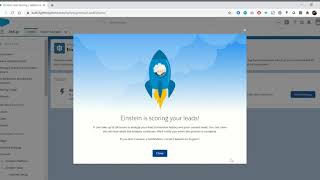
    Enable Salesforce Einstein Lead Scoring with Less Data - Winter 21

    Enable Salesforce Einstein Lead Scoring with Less Data - Winter 21

    Video in Salesforce Einstein

    Previously we needed a minimum of 1000 new leads and 120 lead conversions in the previous 6 months to calculate the lead scoring. With Winter…

    Salesforce Einstein, Machine Learning, Salesforce Trailhead, Salesforce Video, Einstein
    Prafull Jul 8, 2020
    8,935  Views
    How to Setup Salesforce Customer Community?

    How to Setup Salesforce Customer Community?

    Video in Salesforce Communities

    Step by step Salesforce tutorial for quickly setting up a Customer Community with Customer Service (Napili) Template.

    Salesforce Tutorial, Salesforce Sales Cloud, Salesforce Administrator, Salesforce Customer Community, Salesforce Community
    Shivam Sisodia Jan 12, 2018
    2,879  Views
    Footer Forcetalks logo

    support@forcetalks.com

    • twitterx

    Quick Links

    Advertise with Us

    Salesforce® Articles

    Dreamforce 2023

    Top Salesforce® Bloggers 2023

    Top Salesforce Consultants

    Get Listed

    Company

    Contact Us

    About Us

    Privacy Policy

    Terms & Conditions

    InsightHub

    Salesforce Blogs

    Salesforce Videos

    Salesforce Groups

    Salesforce Jobs

    © 2026 - Forcetalks ● All Rights Reserved

    Salesforce® is a trademark of Salesforce® Inc. No claim is made to the exclusive right to use “Salesforce”. Any services offered within the Forcetalks website/app are not sponsored or endorsed by Salesforce®.

    We use cookies to enhance your browsing experience. Please see our privacy policy if you'd like more information on our use of cookies.