
-
List Button does not work properly in Salesforce Lightning Experience
I have created a custom list button on a custom object and I set the behavior of the list button to "Display in existing window without sidebar or header".
This List button works fine in Salesforce classic, but when I switch to Salesforce lightning experience it stops workings.
When I click on the list button in Salesforce lightning it doesn't open in the existing window. It opens in a new tab.
Any help would be really appreciated.

Log In to reply.

Popular Salesforce Blogs

Top Challenges in Sales Cloud Implementation (and How Consulting Solves Them)
Modern sales teams need more than a CRM database. They need clean data, connected workflows, accurate forecasting, and systems that reduce administrative work rather than…


Case Study on Global Pharma Tendering Solution
Enhancing tendering operations across multiple markets in the pharmaceutical industry through a unified solution within Salesforce. In the dynamic and competitive pharmaceutical industry, the efficient…


Why Use Second-Generation Packages in Salesforce?
Do you know about Second-Generation packages? Max Shkrob, Salesforce Developer at Twistellar, gathered all the features and the main differences between 1GP and 2GP. Happy…

Popular Salesforce Videos
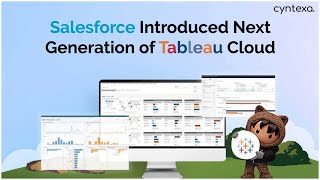
Salesforce Introduced Next Generation Of Tableau Cloud
Salesforce added a new member to its fleet of the cloud for customers: Salesforce Tableau Cloud. The Tableau Cloud developed will empower the customers to…


Nonprofit Summit 2022 - Go Further with Salesforce Reports and Dashboards Hands-on Training
Salesforce reports and dashboards are the analytical sides of CRM. They are used to convert business requirements into Visual representations like Graphs, Pie Charts, Tables,…

When Salesforce is Down/Offline - Keep on Going With Zoho
Wtahc this video and learn how to keep your organization moving when Salesforce is DOWN or OFFLINE. Do let us know if you have any…
