
-
Create multiple Order line items using Salesforce Lightning component
Lightning component display a list of all existing orders. We have a '+' button the screen. When user hits the '+' but it open popup modal where user will select Order values. There is another "+" button on the same lightning. When click on '+' which is displayed on popup box, user will be able to create a new row where user will selects the product name, automatically its description and unit price gets populated. User will enter quantity value. When hit on save it will create Order and its line items.
Log In to reply.

Popular Salesforce Blogs
Building an Azure DevOps Pipeline for Salesforce Scratch Org Automation: A Journey to Success
It's exciting to solve a challenging problem. I recently went through such a journey when tasked with automating Salesforce Scratch Org Automation workflows through Azure…


How to Use the Salesforce Marketing Cloud for Business Growth in 2024?
Salesforce Marketing Cloud is a leading email marketing software for creating and managing successful marketing campaigns and nurturing customer relationships. This SaaS platform allows marketers to use email personalization to…


Integrating and Automating B2B Sales Workflows with Custom Salesforce Integrations
When you think about the complex world of B2B sales, it’s clear that there are a lot of moving parts. Sales teams juggle multiple tasks—from…

Popular Salesforce Videos

Lightning Component Development - 01 - Basic of Lightning Framework, Component Bundle, App Builder
What is covered in this session? * What is Lightning Component Framework? * Lightning Component Across Salesforce Ecosystem * When to use lightning component? * Where…

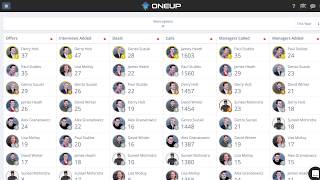
How to use Salesforce Data to drive producivity and greater data capture
How do you encourage and drive better quality data entry into Salesforce by Salespeople? How do you use that data to drive productivity and proactive…

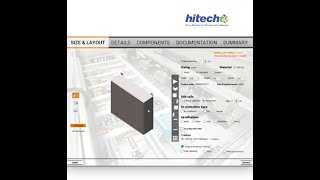
A Walkthrough of Visual Configuration
Whether you manufacture building, furniture, or industrial products, our product configurator guides your customers in making better purchase decisions. These 3D visualization technologies used in…

Popular Salesforce Infographics

Salesforce Buzz | An Infographic
While Salesforce has been coined as the World's #1 CRM, there has been a constant buzz around the stats and facts of it. Almost 58%…


Salesforce Almanac
Salesforce is the number one CRM of the world and it has attained great popularity over the years. Its journey is worth seeing so here…


What is the Significance of Salesforce Implementation in Business Growth?
Salesforce is the CRM or Customer Relationship Management software that is used to manage several business operations. Companies use Salesforce to manage and improve their…
