
-
What are Login Hours and Login IP Ranges in Salesforce?
What are Login Hours and Login IP Ranges in Salesforce?

Log In to reply.

Popular Salesforce Blogs


4 Types of Salesforce Community Licenses
The foremost challenge that organizations face today is to provide excellent customer service to their customers and partners and include it in their daily processes.…


5 Benefits of Automation with MuleSoft | Salesforce
The benefits of bringing DevOps tools into your IT Organization are many and well documented. Regardless of the technologies in play, continuous delivery and release automation help teams deliver higher…

Popular Salesforce Videos
Customize Salesforce in a Flash with Lightning
This video shows you how to use Lightning App Builder to make page customizations without any code. This enables admins to tailor Lightning Experience for…

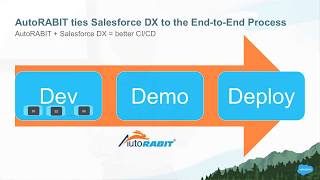
Salesforce DX simplified with AutoRABIT - Bay Area Salesforce Developer Group
A common need that teams developing on the Salesforce platform express is the desire for a single solution that will take their developers through the…
Things you can do with Loyalty Management in Salesforce to Create Lifelong Customers
Although keeping customers is not always simple, statistics show that when they are a part of an ongoing customer loyalty management program, they spend 67%…
