
-
Is it possible to update a custom subject picklist via Salesforce workflow rule?
I have a custom subject picklist which i want to update with the value from standard subject picklist on Event. Is it possible via workflow rule?

Log In to reply.

Popular Salesforce Blogs

Automation Hero | Salesforce Process Builder a step ahead Workflow
Every day at our workplace, we spend a considerable amount of time doing routine work processes that mostly repetitive and do not require any special…


Transform businesses with the power of Artificial Intelligence leveraged through Salesforce Einstein
Artificial Intelligence is powering next-generation customer experiences with smart predictions, intelligent recommendations, timely automation and much more. Gartner predicts that by 2020, a staggering 85% of…

Salesforce & Xero Integration in 2024 | All You Need to Know
This article is prepared by our Salesforce Developer Lisa Vasilieva. Xero is a cloud-based accounting software for small and medium-sized businesses. This system gives the ability…

Popular Salesforce Videos
Salesforce User Experience UX Designer Certification
The Salesforce User Experience (UX) c is designed for individuals who have at least 6 months in UX design and 3–6 months’ experience utilizing UX…

How to setup Visual Studio Code for Salesforce ? | Link VSCode with Non Scratch Org using SFDX CLI
Hello Trailblazers, In this video, we're going to learn how we can setup vscode for Salesforce development. I am going to tell you how you…

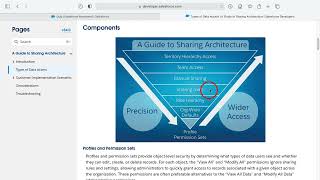
Salesforce Guide to Sharing Architecture
The Salesforce sharing model is an essential element in your organization's ability to provide secure application data access. Therefore, it's crucial to architect your sharing…
