
-
Insufficient access right to user error while accessing email attachments in Salesforce
I am facing Insufficient access right to user error while trying to access email attachments through programmatic backend code. This is working fine for System Administrator group however, for any other profiles we are getting this error despite giving those profiles full access to Case object. Other profiles are able to access cases and case attachments but they are NOT able to access email attachments attached to cases.
It seems Salesforce treats email attachments different than case attachments and accessing email attachments through programmatic backend code may require additional or specific permission. As a workaround, we followed below mentioned steps to give “MODIFY ALL DATA” permission to intended profile. However, this is NOT ideal solution and hence wanted to check why Salesforce is treating Case Attachments and Email Attachments on Cases differently and what’s the best way to resolve this issue.
- click on SET-UP link
- search PROFILE in QUICK-SEARCH box
- go to the profile which you want to give permission.
- click on EDIT button.
- go to Administrative Permissions section and select MODIFY ALL DATA checkbox
- now click on SAVE button

Log In to reply.

Popular Salesforce Blogs

The Importance of Learning Salesforce CRM
Introduction Salesforce CRM (Customer Relationship Management) has emerged as a leading platform in the realm of business technology, transforming how companies manage their relationships with…


Industry Best Practices to Implement Salesforce Marketing Cloud
The Salesforce Marketing Cloud is a sophisticated technology developed by Salesforce that automates the marketing of a business across a variety of channels, including but…


Do Not Forget To Include These Items from Your CRM Requirement Checklist | Salesforce
Investing in the Salesforce CRM technology is a big decision. It requires the knowledge of the CRM requirement checklist, thorough research and strong planning. Often…

Popular Salesforce Videos
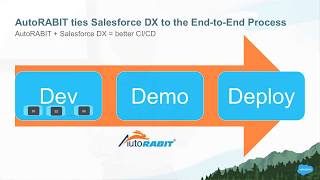
Salesforce DX simplified with AutoRABIT - Bay Area Salesforce Developer Group
A common need that teams developing on the Salesforce platform express is the desire for a single solution that will take their developers through the…

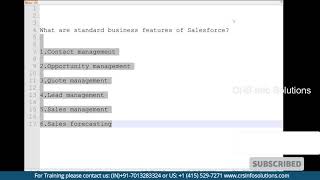
Explain Standard Business Features of Salesforce?
Standard business features of Salesforce are Contact Management, Opportunity Management, Lead Management, Quote Management, Sales Management and Sales Forecasting. Watch the video to learn all…

What is the Difference Between Profile Vs Permission Set?
What is the difference between Profile Vs Permission Set? The profile is mandatory for the users in Salesforce. A permission set is one thing that…