Toggle Side Panel

  • Home
  • Articles
    • All Articles
    • Blogs
    • Videos
    • Infographics
  • Consultants
    • Salesforce Product Expertise
      • Top Salesforce ConsultantsTop Salesforce Consultants
      • Marketing Cloud ConsultantsMarketing Cloud Consultants
      • Service Cloud ConsultantsService Cloud Consultants
      • Experience Cloud ConsultantsExperience Cloud Consultants
      • Analytics Cloud ConsultantsAnalytics Cloud Consultants
    • Salesforce Industry Expertise
      • Non-Profit Cloud ConsultantsNon-Profit Cloud Consultants
      • Financial Service Cloud ConsultantsFinancial Service Cloud Consultants
      • Health Cloud ConsultantsHealth Cloud Consultants
      • Commerce Cloud ConsultantsCommerce Cloud Consultants
      • Manufacturing Cloud ConsultantsManufacturing Cloud Consultants
    • Salesforce Experts by Location
      • USATop Salesforce Consultants in USA
      • IndiaTop Salesforce Consultants in India
      • AustraliaTop Salesforce Consultants in Australia
      • United KingdomTop Salesforce Consultants in UK
      • CanadaTop Salesforce Consultants in Canada
  • Webinars
  • Marketplace
  • Advertise With Us
  • Contact Us
  • Discussions
More options
    Sign in Sign up
    • Home
    • Articles
      • All Articles
      • Blogs
      • Videos
      • Infographics
    • Consultants
      • Salesforce Product Expertise
        • Top Salesforce ConsultantsTop Salesforce Consultants
        • Marketing Cloud ConsultantsMarketing Cloud Consultants
        • Service Cloud ConsultantsService Cloud Consultants
        • Experience Cloud ConsultantsExperience Cloud Consultants
        • Analytics Cloud ConsultantsAnalytics Cloud Consultants
      • Salesforce Industry Expertise
        • Non-Profit Cloud ConsultantsNon-Profit Cloud Consultants
        • Financial Service Cloud ConsultantsFinancial Service Cloud Consultants
        • Health Cloud ConsultantsHealth Cloud Consultants
        • Commerce Cloud ConsultantsCommerce Cloud Consultants
        • Manufacturing Cloud ConsultantsManufacturing Cloud Consultants
      • Salesforce Experts by Location
        • USATop Salesforce Consultants in USA
        • IndiaTop Salesforce Consultants in India
        • AustraliaTop Salesforce Consultants in Australia
        • United KingdomTop Salesforce Consultants in UK
        • CanadaTop Salesforce Consultants in Canada
    • Webinars
    • Marketplace
    • Advertise With Us
    • Contact Us
    • Discussions
    Close search

    Activity › Forums › Salesforce® Discussions › What are Local and Global ids with respect to Salesforce Lightning Component?

    Tagged: Client Side Controller, Global Component ID, HTML, Javascript Code, Local Component ID, Metadata, Salesforce Lightning Component, SFDC

    • Salesforce® Discussions

      What are Local and Global ids with respect to Salesforce Lightning Component?

      Posted by Aman on September 23, 2018 at 11:19 PM

      What are Local and Global ids with respect to Salesforce Lightning Component?

      Avnish Yadav replied 7 years, 5 months ago 4 Members · 3 Replies
      • Client Side Controller
      • Global Component ID
      • HTML
      • Javascript Code
      • Local Component ID
      • Metadata
      • Salesforce Lightning Component
      • SFDC
    • 3 Replies
    • shariq

      Member
      September 23, 2018 at 11:19 PM

      Component IDs
      A component has two types of IDs: a local ID and a global ID. You can retrieve a component using its local ID in your JavaScript code. A global ID can be useful to differentiate between multiple instances of a component or for debugging purposes.

      Local IDs
      A local ID is an ID that is only scoped to the component. A local ID is often unique but it’s not required to be unique.
      Create a local ID by using the aura:id attribute. For example:
      Find the button component by calling cmp.find(“button1”) in your client-side controller, where cmp is a reference to the component containing the button.

      Global IDs
      Every component has a unique globalId, which is the generated runtime-unique ID of the component instance. A global ID (1) is not guaranteed to be the same beyond the lifetime of a component, so it should never be relied on. A global ID can be useful to differentiate between multiple instances of a component or for debugging purposes.

    • Parul

      Member
      September 23, 2018 at 11:32 PM

      Every component has a unique globalId, which is the generated run=me-­‐unique  ID of the component instance.

      • A  global  ID is not guaranteed to be the same beyond the life=me of a component, so it should never be relied on.
      • To create a unique ID for an HTML element, use the globalId as a prefix or suffix for the element.
      • Use  the  getGlobalId() function in JavaScript to get a component's global  ID.
      • Get a component from its global ID.

      <div  id="{!globalId  +  '_footer'}"></div>
      var  cmp  =  $A.getComponent(globalId);
      var  globalId  =  cmp.getGlobalId();

    • Avnish Yadav

      Member
      September 25, 2018 at 6:17 AM

      Hello,

      A component has two types of IDs: a local ID and a global ID.
      You can retrieve a component using its local ID in your JavaScript code.
      A global ID can be useful to differentiate between multiple instances of a component or for debugging purposes.
      Local ID is created by using the aura:id attribute.
      example
      To find the local ID for a component in JavaScript, use cmp.getLocalId()
      Every component has a unique globalId, which is the generated runtime-unique ID of the component instance.
      A global ID is not guaranteed to be the same beyond the lifetime of a component, so it should never be relied on

      Thanks

    Log In to reply.

    • Public
    • All Members
    • My Connections
    • Only Me
    • Public
    • All Members
    • My Connections
    • Only Me
    • Public
    • All Members
    • My Connections
    • Only Me

    application solution

    Popular Salesforce Blogs

    Pardot Audit: How and Why It is Essential to Conduct One Today | Salesforce

    Blog in Salesforce Products

    Pardot is a powerful B2B marketing tool that allows marketers to run and manage multiple campaigns with ease. It is capable of automating processes and driving…

    Automating Processes, B2B, B2B Marketing Tool, Best Practices, Bulk Data
    LevelShift (formerly DemandBlue) Dec 17, 2020
    3,494  Views

    How Large Enterprises Can Create Tailored Digital Experiences for Their Stakeholders?

    Blog in Salesforce Cloud Platform

    Introduction In today's digital world, businesses need to move ahead of one-size-fits-all approaches to meet the diverse requirements of their customers, partners, and employees. Personalized…

    Customer Experience, Digital Experience, Salesforce Experience Cloud
    Concretio Aug 1, 2025
    186  Views

    Leverage the Power of Salesforce Marketing Cloud Account Engagement for Inbound Marketing

    Blog in Salesforce

    Inbound marketing is an effective strategy for producing excellent content that meets the demands of your target markets and fosters enduring relationships with customers. Because…

    Automation, Behaviors, Building Customer Relationships, Buyer Journey, Campaign Management
    Apphienz Apr 13, 2023
    1,038  Views

    Popular Salesforce Videos

    What are Permission Sets (Object Level Security) in Salesforce?

    What are Permission Sets (Object Level Security) in Salesforce?

    Video in Salesforce Security, Salesforce Training

    In this video, Shrey is not only teaching but also demonstrating Permission Sets used in Salesforce Object Level Security. You will be learning: What are…


    Salesforce Training, Salesforce Tutorial, Salesforce Administrator, salesforce, Salesforce Video
    Abhishek Dec 11, 2020
    2,453  Views
    How to Test Your Process Builder | Salesforce

    How to Test Your Process Builder | Salesforce

    Video in Salesforce Training

    In this video, Appopedia provides helpful tips on how to test your process builder in Salesforce. She explains how to create a test user, what…

    Salesforce Training, Salesforce Tutorial, Salesforce Apex, salesforce, Salesforce Trailhead
    Rahul kapoor Aug 18, 2022
    2,058  Views
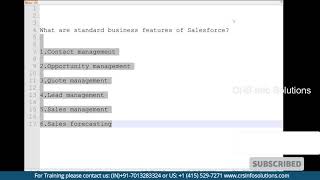
    Explain Standard Business Features of Salesforce?

    Explain Standard Business Features of Salesforce?

    Video in Salesforce Admin

    Standard business features of Salesforce are Contact Management, Opportunity Management, Lead Management, Quote Management, Sales Management and Sales Forecasting. Watch the video to learn all…

    Salesforce Training, Salesforce Tutorial, Salesforce Online Training, salesforce, Opportunity Management
    CRS Mar 23, 2022
    1,647  Views
    Footer Forcetalks logo

    support@forcetalks.com

    • twitterx

    Quick Links

    Advertise with Us

    Salesforce® Articles

    Dreamforce 2023

    Top Salesforce® Bloggers 2023

    Top Salesforce Consultants

    Get Listed

    Company

    Contact Us

    About Us

    Privacy Policy

    Terms & Conditions

    InsightHub

    Salesforce Blogs

    Salesforce Videos

    Salesforce Groups

    Salesforce Jobs

    © 2026 - Forcetalks ● All Rights Reserved

    Salesforce® is a trademark of Salesforce® Inc. No claim is made to the exclusive right to use “Salesforce”. Any services offered within the Forcetalks website/app are not sponsored or endorsed by Salesforce®.

    Try AuditMyCRM - It is a Salesforce CRM Audit tool which comprehensively scans your Salesforce org and gives you the list of errors or warnings you need to take care of.
    We use cookies to enhance your browsing experience. Please see our privacy policy if you'd like more information on our use of cookies.