
-
How to import lookup relationship data from sandbox to prod in Salesforce?
How to import lookup relationship data from sandbox to prod?

Log In to reply.

Popular Salesforce Blogs

Why Digital Transformation is Essential for Business Growth? | Salesforce Guide
With reports suggesting that worldwide spending on the technologies enabling digital transformation is forecast to reach $2.3 trillion (£1.8 trillion) in 2023, more and more…


This Week’s Top Stories: Salesforce Updates Sales Cloud Features
Salesforce has recently announced a slew of new Sales Cloud features that aim to simplify administrative tasks for sales reps. According to a Salesforce report,…


Sandbox Design for Enterprise-level Implementations!
Wondering how to create a separate environment for development? Looking for different configurations and use cases? Salesforce Sandboxes might be the answer… You might be…

Popular Salesforce Videos

Are they secure enough ? Web to Lead Forms | Validations | SPAM | CAPTCHA | Salesforce Tutorials
Are you using web to lead forms ? Do you think it's secure enough ? In this video you will get all your answers. And…


Apex Scheduler in Salesforce | Asynchronous Apex
Asynchronous Apex 1. Apex Scheduler 2. Interfaces in Apex Scheduler 3. Making callout using Apex Scheduler 4. Points to Remember Upcoming Video on How to…

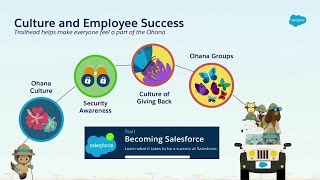
Salesforce on Salesforce: How Salesforce Uses Trailhead to Drive Enablement
With Trailhead, Salesforce is transforming the learning experience for our employees at every step of their career journey. Join us to learn tips, tricks and…
