
-
How to implement a custom toast message without firing a event in a Salesforce lightning component?
I have to implement a custom toast message without firing a event in a lightning component.

Log In to reply.

Popular Salesforce Blogs

Calling from Salesforce: Use RingCentral
Hello Everyone, Salesforce is nowadays a huge platform for all the developers, administrators, and users as well. So in this tech world, everyone needs a…


10 Warning Signs Your Salesforce Implementation is Heading for Disaster
Salesforce is a powerful Customer Relationship Management (CRM) tool that helps businesses streamline operations, enhance customer interactions, and drive business growth. However, the journey from…


Salesforce Einstein: Artificial Intelligence for Customer Success
Artificial Intelligence (AI) is endorsing a paradigm shift in the industry today. It sure has been a while since AI’s outset, but it was only…

Popular Salesforce Videos

Set Your Sales Cloud Implementation Up for Success
Make Sales Cloud a valued business tool that your sales reps will rely on by starting with these planning strategies and best practices for success.…

Creation Of Validation Rules And Verifying Them In Salesforce
Learn how to create and verify validation rules in Salesforce. This video will cover the following points - 1. Introduction Get a brief introduction about…

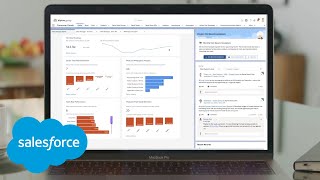
Salesforce Consumer Goods Cloud Demo
Salesforce Consumer Goods Cloud is an intelligent, seamless B2B CRM solution specifically designed for the consumer goods industry. Watch this video to learn more.