
-
How can I send an email to all accounts owners to provide information?
Create a SFDC Batch Process and test Class
1. Send email to all Account Owners
Account Name
2. Total Number of Opportunities
3. Nmber of Opportunities having amount greater than 50,000
4. Total number of Closed won lost Opportunites
Email Notification after finish Method
Schedule batch Process to run over the Friday 7

Log In to reply.

Popular Salesforce Blogs

How to Access Ideas Component in Your Lightning Salesforce Org
The ‘Ideas’ component in Salesforce Community Cloud allows your customers, partners, and employees to directly share and post their ideas on your online community. Enabling the Ideas component allows…


Building Your First App for Salesforce AppExchange: A Step-by-Step Solution
Are you looking to build an application for Salesforce AppExchange? You must be familiar with Salesforce and how it works. Knowing the platform's capabilities can…


Why Choose Salesforce Pardot for Your Email Campaigns
Email remains one of the most effective digital marketing channels for engaging prospects, nurturing leads, and driving conversions. However, managing successful campaigns requires more than…

Popular Salesforce Videos

How to Subscribe Salesforce Report in Lightning Experience?
Subscribe Report : We can configure any Salesforce report to run Daily, Weekly or Monthly as HTML email to your Salesforce org. users. Advantages of…

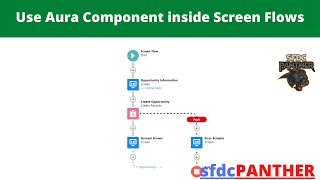
Use Aura Component in Screen Flow | Salesforce Flow Builder Tutorial
Hello Trailblazers, In this video, we will learn how to use Aura Component in Salesforce Screen Flow. How to validate the Lightning Component Input from…


How to Deactivate Salesforce Users
In this video, we'll show you how to Deactivate Salesforce Users. In Salesforce, you cannot delete users outright, as other references to the user may…
