
-
How to use apex:actionsupport such that it only saves the last radiobutton in repeat in Salesforce?
I build a radiobutton within a repeat of a list and then use actionsupport with event set to "onchange".
Example,
<apex:outputPanel id="repeating">
<apex:repeat value="{!change}" var="c">
<apex:selectRadio value="{!save}">
<apex:selectOption itemValue="{!c}" itemLabel="{!c}" />
</apex:selectRadio>
</apex:repeat>
<apex:actionSupport event="onchange" reRender="repeating" action="{!saveInformation}">
</outputPanel>However, this code only work on the final/last button. What I wanted it to do is to be able to save more than 1 button and any button that is changed. My current code only work on example;
button 1 *when pressed, nothing happen*
button 2 *when pressed, nothing happen*
button 3 *when pressed, this button can be saved*I wish it to be able to save any pressed buttons and also able to take more than 1 buttons to save.
Is there a way to alter my code or should I make any changes?

Log In to reply.

Popular Salesforce Blogs

B2B Commerce Cloud Summer’24 Release
Salesforce's B2B Commerce Cloud Summer ’24 release is here, bringing a variety of new features designed to improve customer experience and make business operations more…


Insider Tips for an Easy Migration into Salesforce
As the owner of a growing nonprofit enterprise, you need to find the right tools to ensure that your company can quickly adapt to its…


What is Salesforce Community Cloud?
In today's fast-paced business environment, maintaining strong relationships with clients and partners is crucial for success. Salesforce Community Cloud has emerged as a dynamic solution…

Popular Salesforce Videos
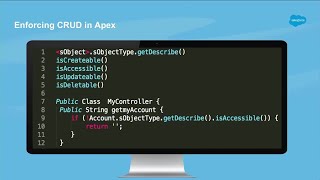
Data Access for Apex, Visualforce, and Lightning
Apex is a development platform for building software as a service (SaaS) applications on top of Salesforce.com's customer relationship management (CRM) functionality. Apex allows developers…


Nested Lists in Apex | Salesforce Development Tutorial for Beginners
In this video, Shrey has explained in detail the process to create a Nested List in Apex. Watch the full video to understand. If you…


Salesforce Service Cloud Voice Demo
Salesforce Service Cloud Voice uses intelligent telephony to increase agent productivity and better serve customers, from anywhere. Today, customers can connect with companies across almost…
