
-
How to calculate the size of object?
If you go to Set Up > Data Management > Storage Usage , Salesforce list the storage for each record type.
- How is it calculated?
- Does it vary with number of fields a custom object have or is always constant?


Log In to reply.

Popular Salesforce Blogs

Introduction to Salesforce Health Cloud: Key Features and Benefits
In today's fast-paced healthcare ecosystem, utilising technology to improve operations, patient care, and the overall experience is more important than ever. One of the best…


Learn About Salesforce Einstein Prediction Builder
The Einstein Prediction Builder can help you predict which opportunities will close and which goods prospects will buy. Predictions may be created based on the…


Benefits of Salesforce Integration for Educational Institutions
Educational institutions are aggressively embracing run-of-the-mill Customer Relationship Management (CRM) systems amidst data and technology-dominated times to - execute a productive workflow, maximize communication, and…
Popular Salesforce Videos
MailChimp Salesforce Integration
The MailChimp and Salesforce integration allow you to start creating email campaigns from the leads and contacts in your Salesforce CRM. With the integration, it becomes easy to create list segmentation…


Integrating System with Salesforce Commerce Cloud
Designed for retail as well as eCommerce, Salesforce Commerce Cloud has become the best solution for delivering the ultimate shopping experience to the customers. By…

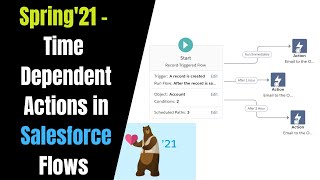
Spring '21 Release - Time-dependent Action in Salesforce Flows
If you’re familiar with scheduled actions in Process Builder or time-dependent actions in workflow rules, know that scheduled paths on record-triggered flows can accomplish the…
