
-
Calling Batch class with Salesforce Apex Trigger
trigger ProcessStage on Stage__c (after insert) {
Database.executeBatch(new BatchProcessStage(trigger.newMap.keySet()),200);
}************************************************************************************************
public class ProcessStaging{
public static void handleafterInsert(List<Stage__c> listStage){
Map<String ,Contact> contactMap = new Map<String ,Contact>();
Map<String ,Id> accountMap = new Map<String ,Id>();
Set<String>fname = new Set<String>();
Set<String>orgname = new Set<String>();
List<Contact> insertContact = new List<Contact>();
List<Contact> relatedContact = new List<Contact>();
List<Contact> finalContactinsert = new list<Contact>();
List<Opportunity> opportunityContact = new List<Opportunity>();
List<Opportunity> opportunityAccount = new List<Opportunity>();
List<Opportunity> relatedOpportunity = new List<Opportunity>();
List<Account> insertAccount = new List<Account>();
List<Contact> finalcontact = new List<Contact>();for(Stage__c st :listStage) {
fname.add(st.First_Name__c);
fname.add(st.Last_Name__c);
fname.add(st.Postal_Code__c);
orgname.add(st.Organisation_Name__c);
orgname.add(st.Postal_Code__c);
}
List<Contact> conlist = [select Id,FirstName,LastName,MailingPostalCode from contact where (FirstName IN:fname) AND (LastName IN:fname) AND (MailingPostalCode IN:fname) ];
List<Account> acclist = [select Id,Name,BillingPostalCode from account where (Name IN:orgname) AND (BillingPostalCode IN:orgname) ];
system.debug('aaaa' +conlist);
system.debug('acclist' +acclist);for(Contact con : conlist) {
contactMap.put(con.firstname +'_'+ con.lastname+'_'+ con.MailingPostalCode,con );
// contactMap.put(con.firstname,con );
}for(Account ac : acclist) {
accountMap.put(ac.Name +'_'+ ac.BillingPostalCode,ac.id );
}
for(Stage__c st :listStage) {
Id accs;if(st.Individual_Or_Organisation__c=='I'){
if(!contactMap.containsKey(st.First_Name__c+ '_' +st.Last_Name__c+ '_' +st.Postal_Code__c )) {
// if(!contactMap.containsKey(st.First_Name__c)) {
Contact cc =new Contact();
cc.firstname=st.First_Name__c;
cc.lastname=st.Last_Name__c;
cc.OtherPostalCode =st.Postal_Code__c;
// insertContact.add(cc);
system.debug(insertContact +'listtttt');if(st.Organisation_Name__c!='' && st.Postal_Code__c!='' && accountMap.containsKey(st.Organisation_Name__c+ '_' +st.Postal_Code__c)) {
system.debug('hellohey');
system.debug('aaa' +accountMap.get(st.Organisation_Name__c+ '_' +st.Postal_Code__c));
cc.accountId = accountMap.get(st.Organisation_Name__c+ '_' +st.Postal_Code__c);
system.debug('######'+''+accs);
// cc.accountId = accs;}
insertContact.add(cc);
Opportunity op= new Opportunity();
op.name= cc.firstname;
op.CloseDate= st.Date_Received__c;
op.StageName='prospecting';
op.AccountId=accountMap.get(st.Organisation_Name__c+ '_' +st.Postal_Code__c);
opportunityContact.add(op);
}
}
else if(st.Individual_Or_Organisation__c=='O') {
if(!accountMap.containsKey(st.Organisation_Name__c+ '_' +st.Postal_Code__c)) {
Account ac1 = new Account();
ac1.Name=st.First_Name__c;
insertAccount.add(ac1);
system.debug(opportunityAccount +'case2op');
if(st.Last_Name__c!='' && st.Postal_Code__c!='' && contactMap.containsKey(st.First_Name__c+ '_' +st.Last_Name__c+ '_' +st.Postal_Code__c) ){system.debug('lstloop');
Contact cntt = new Contact();
cntt = contactMap.get(st.First_Name__c+ '_' +st.Last_Name__c+ '_' +st.Postal_Code__c);
cntt.Account =ac1;
finalContactinsert.add(cntt);
system.debug('finalContactinsert'+ finalContactinsert);}
Opportunity op1= new Opportunity();
op1.Account= ac1;
op1.name =ac1.Name;
op1.CloseDate= st.Date_Received__c;
op1.StageName='prospecting';
opportunityAccount.add(op1);}
}
}if(insertContact.size()>0) {
insert insertContact;
}
if(opportunityContact.size()>0) {
upsert opportunityContact;
}
if(insertAccount.size()>0) {
insert insertAccount;
}for(Contact con :finalContactinsert) {
con.Accountid = con.Account.id;
system.debug(con.Accountid +'contact accountid');
system.debug(con.Account.id +'id of account');
relatedContact.add(con);
system.debug('relation'+relatedContact);
system.debug('relatedContact' +relatedContact);
}
if(relatedContact.size()>0) {
upsert relatedContact;
}
for(Opportunity op :opportunityAccount) {op.Accountid = op.Account.id;
system.debug(op.Accountid +'contact accountid');
system.debug(op.Account.id +'id of account');
relatedOpportunity.add(op);
system.debug('relatedOpportunity' +relatedOpportunity);
}
if(relatedOpportunity.size()>0) {upsert relatedOpportunity;
}}
}******************
global class BatchProcessStage implements Database.Batchable<Sobject> {Public string soqlquery;
Set<Id>sid= new Set<Id>();public BatchProcessStage (Set<id> sid){
this.sid = sid ;
}Public void setQry(string soqlquery){
this.soqlquery = 'Select First_Name__c,Last_Name__c,Postal_Code__c,Organisation_Name__c,Individual_Or_Organisation__c from stage where id in : sid';
}global database.querylocator start(database.batchableContext bc){
return database.getquerylocator(soqlquery);
}global void execute(database.batchablecontext bd, List<Stage> stglist){
ProcessStaging.handleafterInsert(stglist);
}Public void finish(database.batchableContext bc){
}}
Error: Compile Error: Class BatchProcessStage must implement the method: void Database.Batchable<SObject>.execute(Database.BatchableContext, List<SObject>) at line 1 column 14

Log In to reply.

Popular Salesforce Blogs

Manufacturing Salesforce Cloud | Boost your production with better predictions
Manufacturers are the most valuable assets for any company’s growth because they mold the products into what they are, and the products are the reason…


Salesforce REST API | HTTP and Callout Basics | All You Need to Know
HTTP and Callout Basics REST callouts depend on HTTP. To see how callouts work, it's useful to comprehend a couple of things about HTTP. Each…


Learn All About Salesforce Multi-Factor Authentication
Do you know the reason users are switching to iOS over Android? UI and UX are great. However, security is the primary reason. We live…

Popular Salesforce Videos
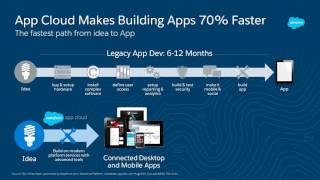
Introduction to Salesforce Apex for Developers
Have you ever wanted to write a Trigger in Salesforce? This workshop is designed for people who would like to begin learning the basics of…

Subscribe to Dashboards and Reports (Salesforce Lightning Experience)
By subscribing to a dashboard or report, you can have it refreshed and waiting in your inbox before the weekly sales meeting, or whenever you…

Custom Login Page Using Mulesoft | Salesforce Tutorial
In this video, you will learn how to create a custom login page using Mulesoft. Watch and learn. If you have any doubts do let…
